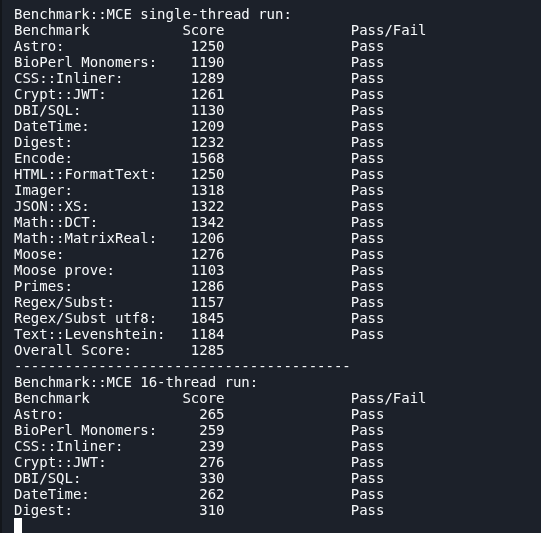
Using the “cpus” variable seems to be the best and easiest way to do this. As even setting it to 1, actually does not cause single thread performance to drop as it can use 1 core at 100%, but oh boi multi threading performance with 1 is utter garbage as it is running 10 cores at 10% with my 12600K.
Im still testing what the sweet spot is with this setting though using DKbench.
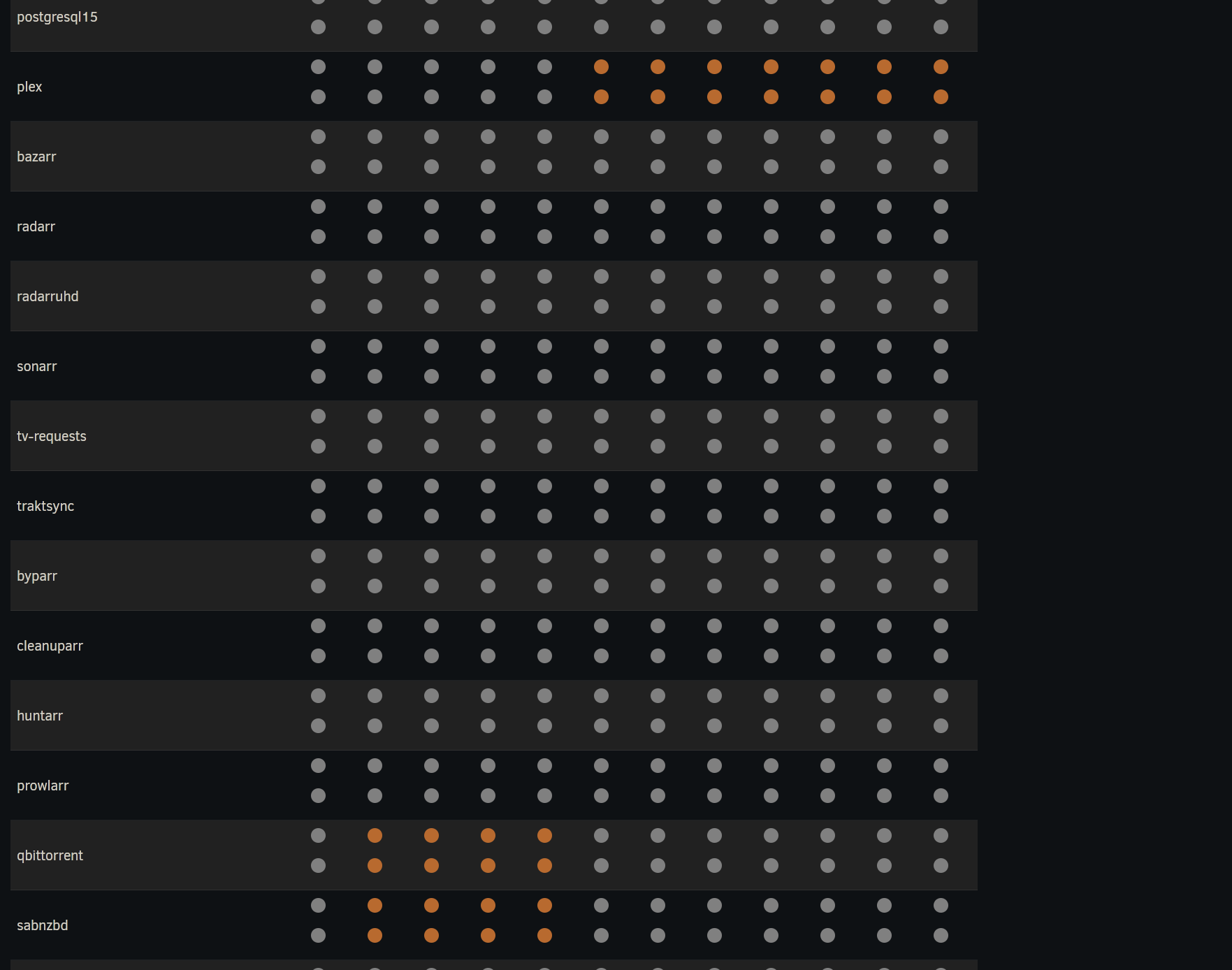
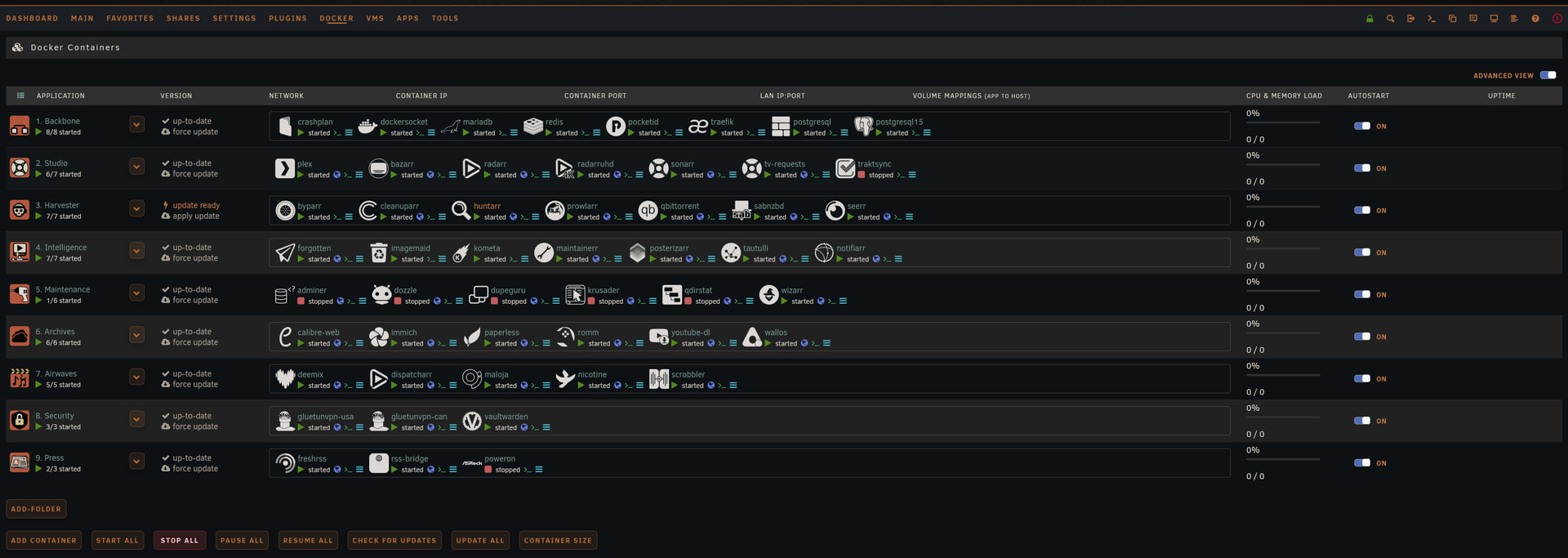
Ah sorry I don’t do anything on containers to limit CPU resources other than pinning on a few containers. Plex and sabNZBd are the two pinned. Because sab would peg my CPU doing unpacks of large 4k files and Plex because of intros and thumbnail generation.
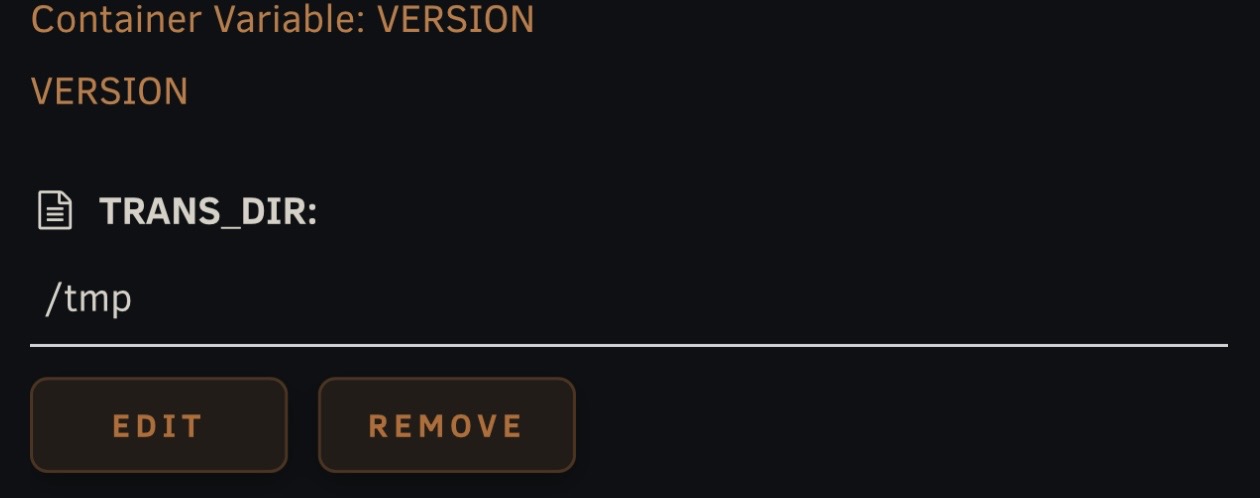
Other than that I’ve got a few other containers just memory limited via extra arguments with the memory perimeter. Then for plex I added –runtime=nvidia --mount type=tmpfs,destination=/tmp,tmpfs-size=20G This creates a /tmp directory on RAM and mounts it internal on the container. The you just add a variable for it.
Then in Plex also map the transcode to /tmp. I found this the best way to keep transcodes of the SSD. Other than those I’ve never found the need to do anything more. Never had any runaway containers, other than those two, or ones that are really resource heavy at all times. My rigs also has a 3900x and 64GBs of ram so resource limiting isn’t really of a concern.
On them theming side you mentioned stability. I’ve had some sort of theming for years. Only recently went heavier. Never had a stability issue. It’s just CSS loaded at the browser level. So even if it went wonky it’s not going to cause unRAID to be unstable just the browser load. So you can just delete the CSS and refresh the browser. Just food for thought if you ever want to theme your setup.
That is indeed another way to do it. Although in my case with my Intel 12600K which has P and E cores my OCD would kick in and I would wanna know which ones i should give it to the container lol. So I think the “cpus” variable in compose is a lot more flexible.
Which took me the entire day to test but here are the results.
Cpus
Single-thread
Multi-thread
Multi-thread/Core
Multi/single perf
Multi Scalability
1
1285
300
300
0.23x (0.18 - 0.32)
1.5% (1% - 2%)
2
1275
888
444
0.7x (0.57 - 0.93)
4.3% (4% - 6%)
3
1294
1477
492.33
1.14x (0.94 - 1.57)
7.1% (6% - 10%)
4
1292
1706
426.5
1.32x (1.08 - 1.77)
8.2% (7% - 11%)
5
1296
1746
349.2
1.34x (0.98 - 2.28)
8.4% (6% - 14%)
6
1296
1619
269.83
1.25x (0.97 - 1.90)
7.8% (6% - 12%)
7
1294
2058
294
1.59x (1.19 - 2.44)
10.0% (7% - 15%)
8
1296
3623
452.875
2.8x (1.37 - 3.9)
17.5% (9% - 24%)
9
1295
2785
309.44
2.15x (1.64 - 3.36)
13.4% (10% - 21%)
10
1293
3651
365.1
2.82x (1.99 - 7.24)
17.6% (12% - 45%)
11
1293
4354
395.82
3.36x (2.68 - 5.10)
21% (17% - 32%)
12
1297
5916
493
4.54x (3.37 - 6.51)
28.4% (21% - 41%)
13
1295
7138
549.076
5.51x (4.48 - 7.38)
34.4% (28% - 46%)
14
1294
9574
682.43
7.39x (6.01 - 10.22)
46.2% (38% - 64%)
15
1271
9640
642.67
7.57x (5.76 - 11.38)
47.3% (36% - 71%)
16
1290
10565
660.31
8.17x (6.53 - 11.97)
51.5% (41% - 75%)
I would just have 3 different “presets” i guess, the low resource containers i give 3, medium ones 8 and the demanding ones 14. That way there is essentially 2 cores (or specifically 200% which could be 10 cores at 20% each) for the os.
Yeah I also have my Intel iGPU mounted directly to my jellyfin container for its QSV hardware transcoding and have the transcode folder directly to the RAM.
Although I used /dev/shm instead of /tmp, I believe /tmp is just on the HDD or maybe the SSD and not on the RAM?
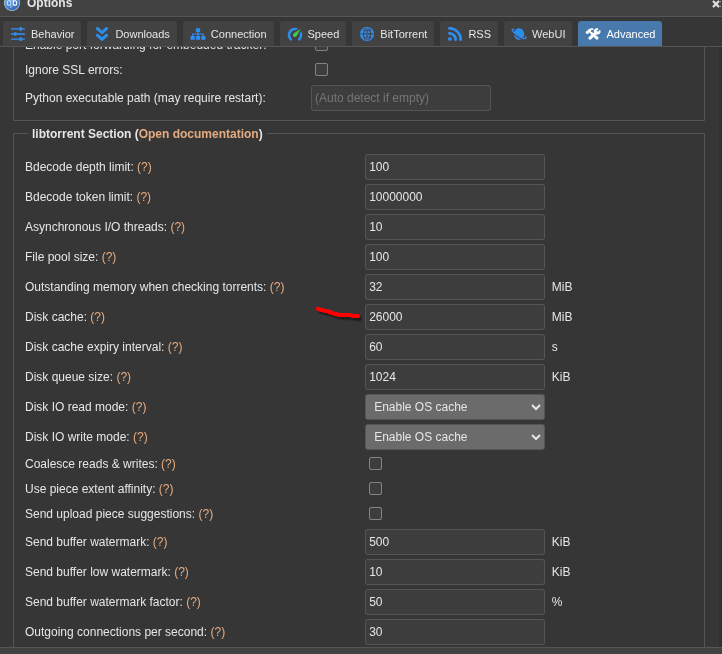
Same thing but its just a precautionary measure I guess. I also have 64gb in this unraid server and im pretty much never above 50% even with qbittorrent taking a big chunk of it since i increased the cache to like 26gb.
aaaa so they are only affecting the client (browser) and not the server (unraid) itself? That would indeed mean it should not have any stability issues at all and if it does only on the browser itself…guess i will have a look.
Alright here’s my understanding and some tests seem to have confirmed. By default in Docker, /tmp is disk-backed and /dev/shm is RAM but, with an important distinction. Inside a Docker container, /dev/shm defaults to 64MB ram utilization unless you explicitly increase it using something like --shm-size=20G.
In my setup, I mounted /tmp as a RAM-backed tmpfs using --mount type=tmpfs,destination=/tmp,tmpfs-size=20G. That means /tmp inside the container has up to 20GB of RAM available, so Plex transcodes are written to memory instead of disk.
Yes sir
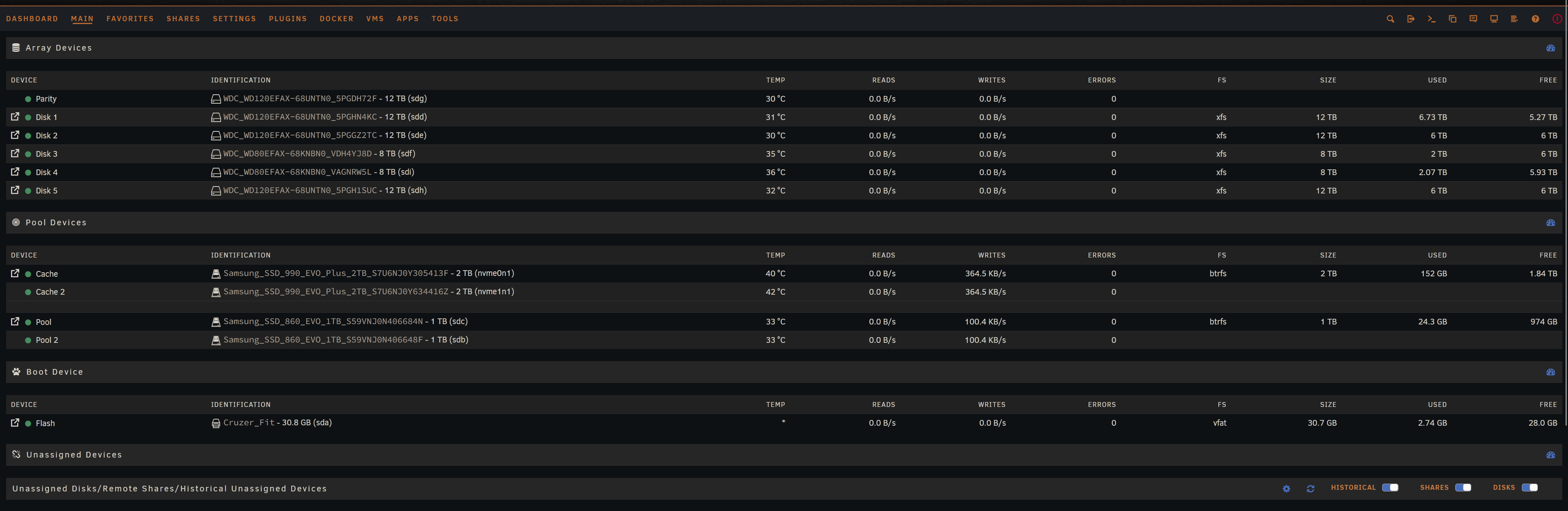
Can’t fault you on that. Especially if you’re looking at it from a power efficiency perspective. Power where I live is extremely cheap. I just set the governor to performance and let it rip. Cost anywhere from $4 to $6 monthly to keep ripping away 24/7. Difference comes from the GPU and if Plex is doing any hardware transcode. I don’t even have the 6 HDDs spin down. Probably would only bring my bill down another $1 while causing unnecessary spin ups/downs and delays on r/w access.
Interesting good to know. Guess I was wrong. Going to keep mine as is though since it’s working correctly. Guess there’s more than one way to skin the cat in this case.
oh btw what is your setup with this? Do you like pin ALL except 2 cores for ALL containers (the lazy but still secure way) or you fine tune so lightweight containers gets cores nr 2 and 3 and heavy containers gets cores 4-10 and so on?
Afaik unraid itself prefers to use the first core so i would not pin threads 0 and 1 to anything else and both 0 and 1 as they are likely in the same multi threading pair.
I just took the easy way. Since Plex, qbittorrent and sab were my big CPU cmpetitors and tended to compete with each I kept them separated on cores. I’d really start to see issues with Plex when downloads from the ‘arrs were being unpacked and this fixed it. Haven’t had issues yet and going on five years with this six total with unRAID. The rest of the containers including my VM just get free access to whatever they want CPU wise.
Yeap thats the one for the CSS and theme.park for the login and some dockers. Made some minor changes since my post on reddit. I know the design isn’t for everyone but, I’m really happy with it. Wanted a muted minimalist approach with desaturated, balanced colors and clean monochrome elements.
Got it. I do believe you are not using the same multi threading pair though. Like physical core 1 would should have logical core (thread) 0 and 1, physical core 2 has logical cores 2 and 3 and so on. So for best performance i believe you want them to be in the same pair and also for security as i believe when you have 2 different service using half of each core they may be able to see what the other is doing.
But of course this is OCDing to a pretty high level lol.
Yeah lol. This is mostly something companies that use different vms like one for real and one for testing where you may try to run something new but is not 1000% sure about the safety of it so you wouldnt want it to start leaking into the other vm. I imagine this is another reason why Intel after Ultra series 2 ditched their hyper threading considering they are pretty dominant in the server market (which I assume companies are factored into).
Although I also thinkkk there may be some slight performance increase by grouping the pairs together but yeah its probably miniscule.
I only go all out on my OCD with my 2 handbrake instances, dividing my 16 threads (12p threads with 6 actual cores and 4 e cores/threads) with 3 P pairs (6 treads) with 2 E cores in one instance and the other half in the other.
My whole setup is geared toward media consumption. Unless tweaking it is going to acquire .ISOs significantly quicker or the system hits a resource bottleneck I’m leaving it alone. Semi related on topic I was happy to have finally gotten Invidious up and running today.
Yeap already did the takeout and import. I tried running Invidious awhile back but, that was before the companion docker. Saw an article the companion seemed to have fixed the issues.
Thanks for the rec on that tweak went ahead and implemented it. Not sure how much it’ll come into play as a majority of d/l’s are from usenet. When torrents are grabbed it’s usually some rare or obscure movie with low seeders so it’s slow either way.
I dont use usenet but i assume there is a similar setting in one of those downloaders ( NZBGet and SABnzbd). Oh and I assume you have prowlarr? I highly recommend using the images from Hotio. Especially their qbit image as it has built in VPN via privoxy and you can also use privoxy proxy for prowlarr so selected trackers goes through the VPN if needed. I need it to avoid geoblocking for some trackers.
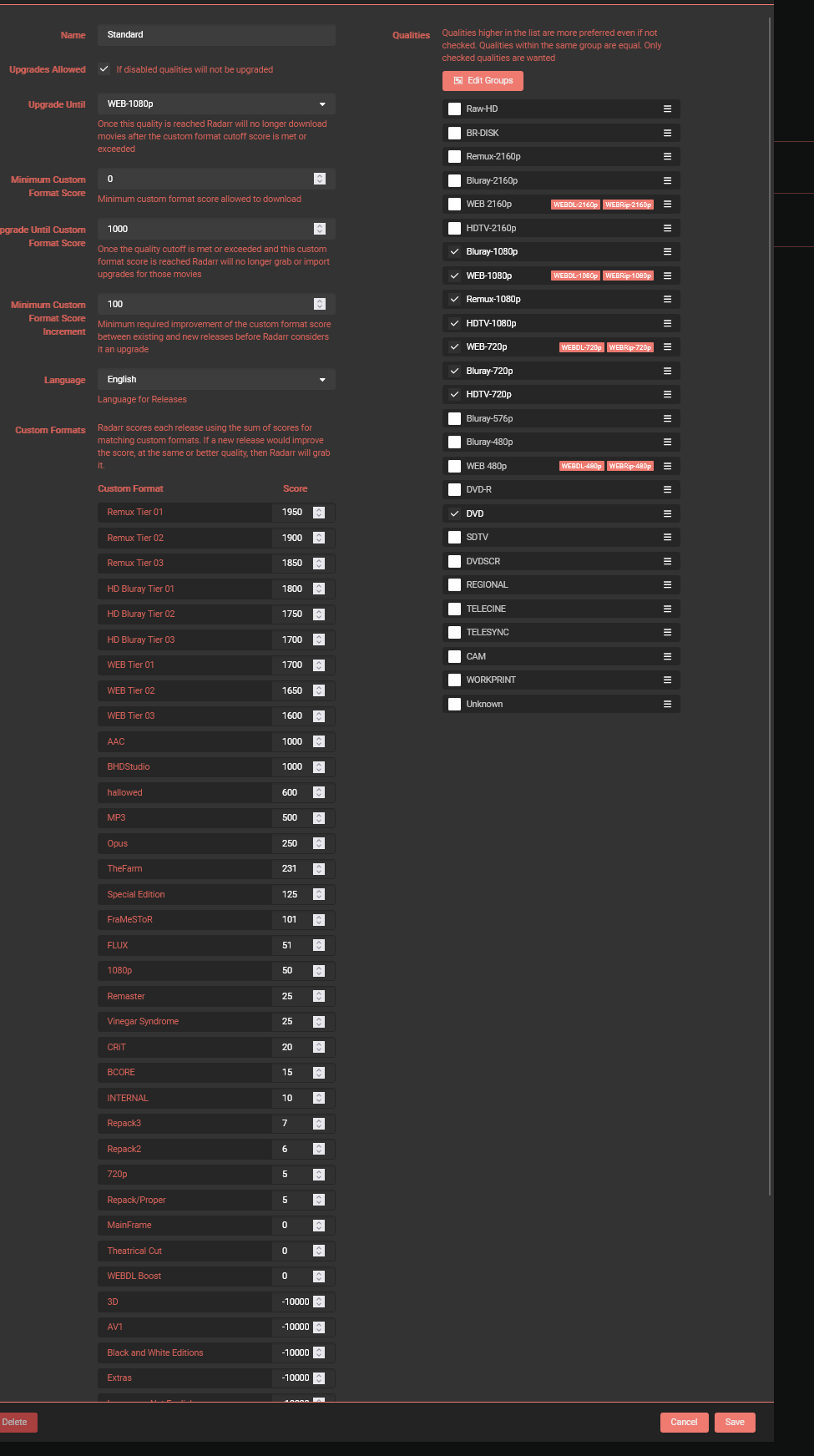
Another one i highly rec for your arr stack is Profilarr.
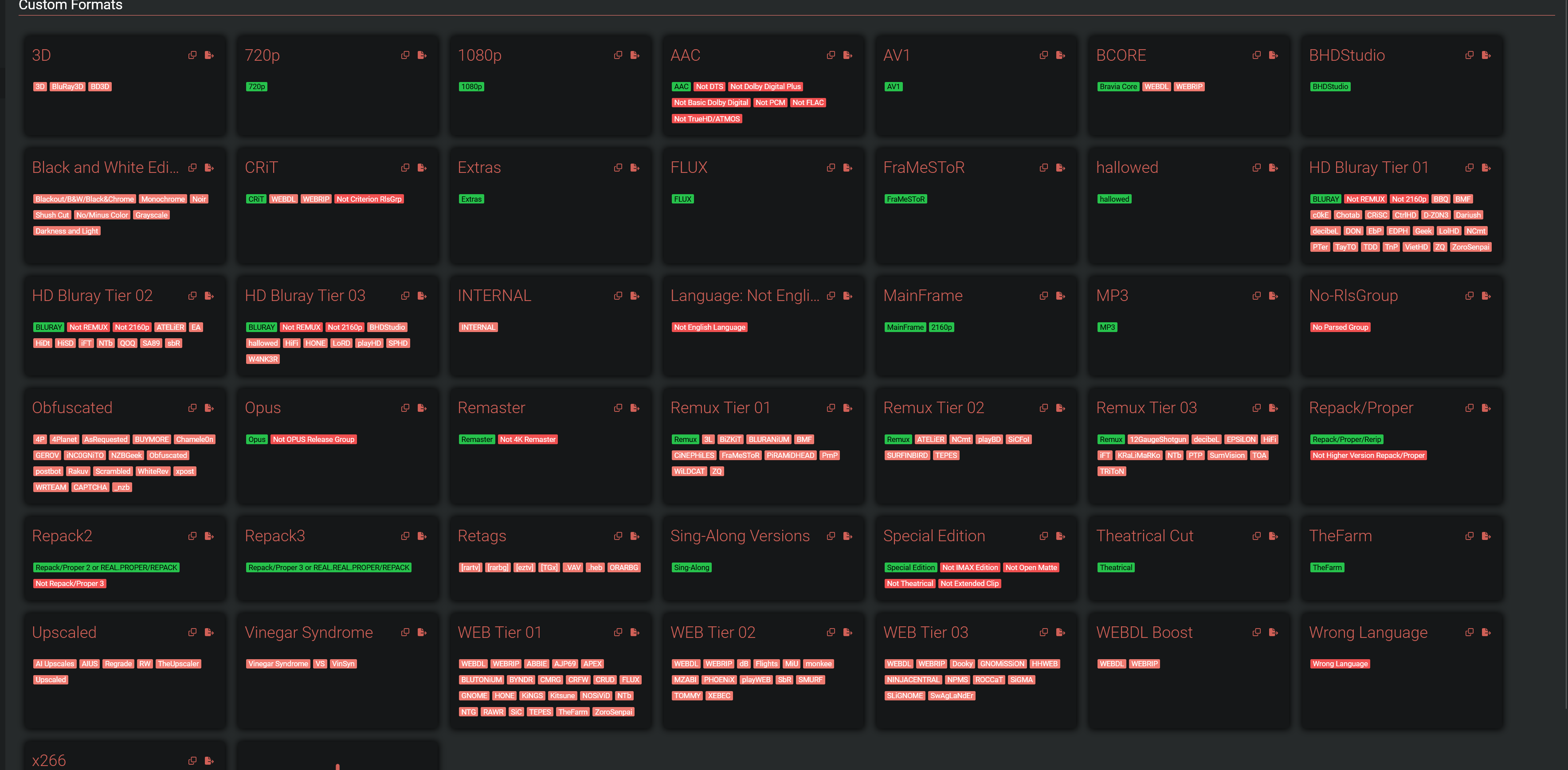
It makes syncing/editing sonarr/radarr much easier and you can much easier customize custom profiles in it. I used trash guides as the reference but changed it a lot.
I use a mix of Hotio, Binhex and Linuxserver just depends what it is. For qbittorent I use Binhex which has the identical features you mentioned. For Prowlarr I just run some indexers through bybarr, previously flaresolvarr, for cloudflare solver. Never ran any of my usenet indexers through proxy. I do run a few containers through gluetun, like Nicotine+ and Deemix, using the container network feature recently introduced in unRAID v7+.
Thanks for the share. If only I had that a few days ago. I’m good now though.
Are you hosting Invidious or any other apps publicly? I’ve got it setup running behind Traefik with a handful of middlewares along with Cloudflare WAF’s in place. Also have RomM, Paperless, Immich, Seerr, FreshRSS, Wizarr and PocketID for OIDC facing publicly.
Edit:
I use notifiarr for a host of other functions as well. But yes it has an identical feature for syncing trash guides custom formats and scoring which I use heavily.
@Rikudou_Goku Out curiousity for invidious do you actually have a file youtubei.js in /mnt/user/appdata/invidious/companioncache? Mine is working fine but that folder has nothing in it. I have the same line as you in my compose /mnt/user/appdata/invidious/companioncache:/var/tmp/youtubei.js
Nope. Not directly. Everything is LAN only with no port forwarding. I access my services when im out using wireguard (im using wgdashboard atm but have wg-easy on my proxmox as another backup method) and i am also running netbird in my unraid and proxmox servers so IF wireguard does not work at all i can use netbird at least.
I use nginx proxy manager with a domain i bought on cloudflare but im not using the tunnel function from them and just have the wildcard domain pointed to my server LAN ip. So i can access my services using a domain name with https but not exposed.
Yeah its empty lol.
Their little comment says
# cache for youtube library
Assume it may create something when a video is playing and then discard afterwards?
Cant check as my instance has some issues with PO token…
I run WireGuard as well to hit most services including the unRAID dash. The issue is though I really enjoying sharing services with others and a lot including my wife aren’t exactly tech savvy. Having them run a VPN wouldn’t be ideal and would discourage usage. Hence why I run them behind traefik. No port forwarding though as it’s running via port 80 and 443. With an http to https redirect at both the cloudflare and traefik level. Unfortunately though I realize I’m putting a lot of trust in the security of both traefik and pocketid.
Interesting that’s a valid thought. I’ll do a test to see if anything shows up when streaming. Been running smooth hope your issues can get sorted out.